Admin Dashboard.
The platform side of the Serenepass marketplace — a focused console for the Serenepass team to approve hotels, moderate offers, oversee bookings and watch commission revenue in one place.
- Role
- UI/UX Designer
- Type
- SaaS · Operator Console
- Module
- 03 of 04
- Tools
- Figma · Lovable · ChatGPT
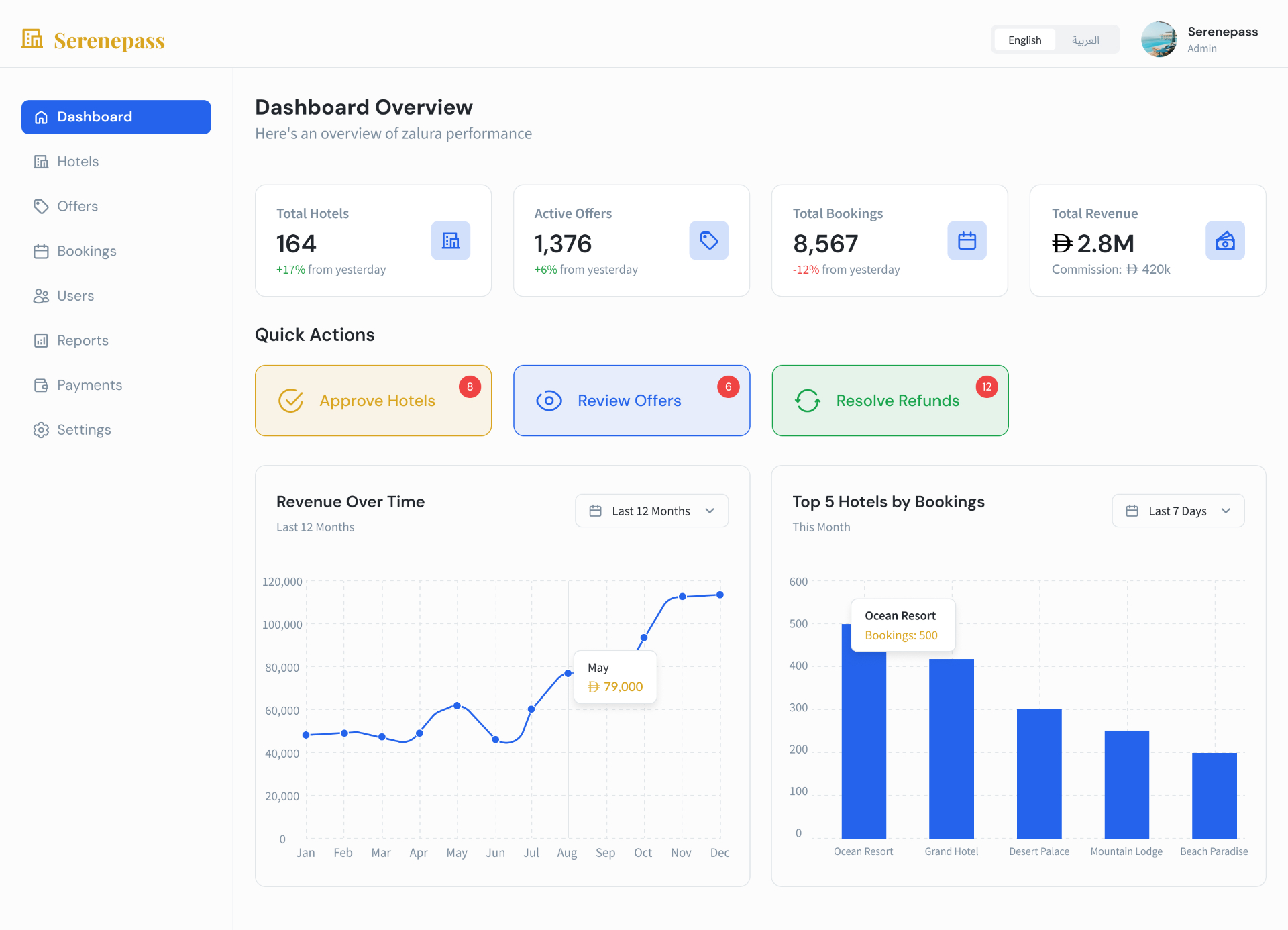
The control room for a two-sided marketplace.
The Admin Dashboard is where the Serenepass team runs the platform: onboarding hotel partners, moderating the offers that reach guests, keeping the bookings ledger clean and watching commission revenue roll up across every property. It sits alongside the Marketplace and the Hotel Dashboard as the third connected surface in the product.
Two sides, one team, no single source of truth.
Scoped access, shared chrome.
Full access — platform settings, commission, payouts and admin roles.
Approves hotels and offers, resolves refunds, suspends users — no platform config.
Reports, commission breakdowns, payouts and bank info — read-only on moderation.
Eight sections, one sidebar.
Ten screens, one console.
Every screen reuses the same KPI strip, filter row and tabbed table — so a Moderator who learns Hotels already knows Offers, Bookings and Users.
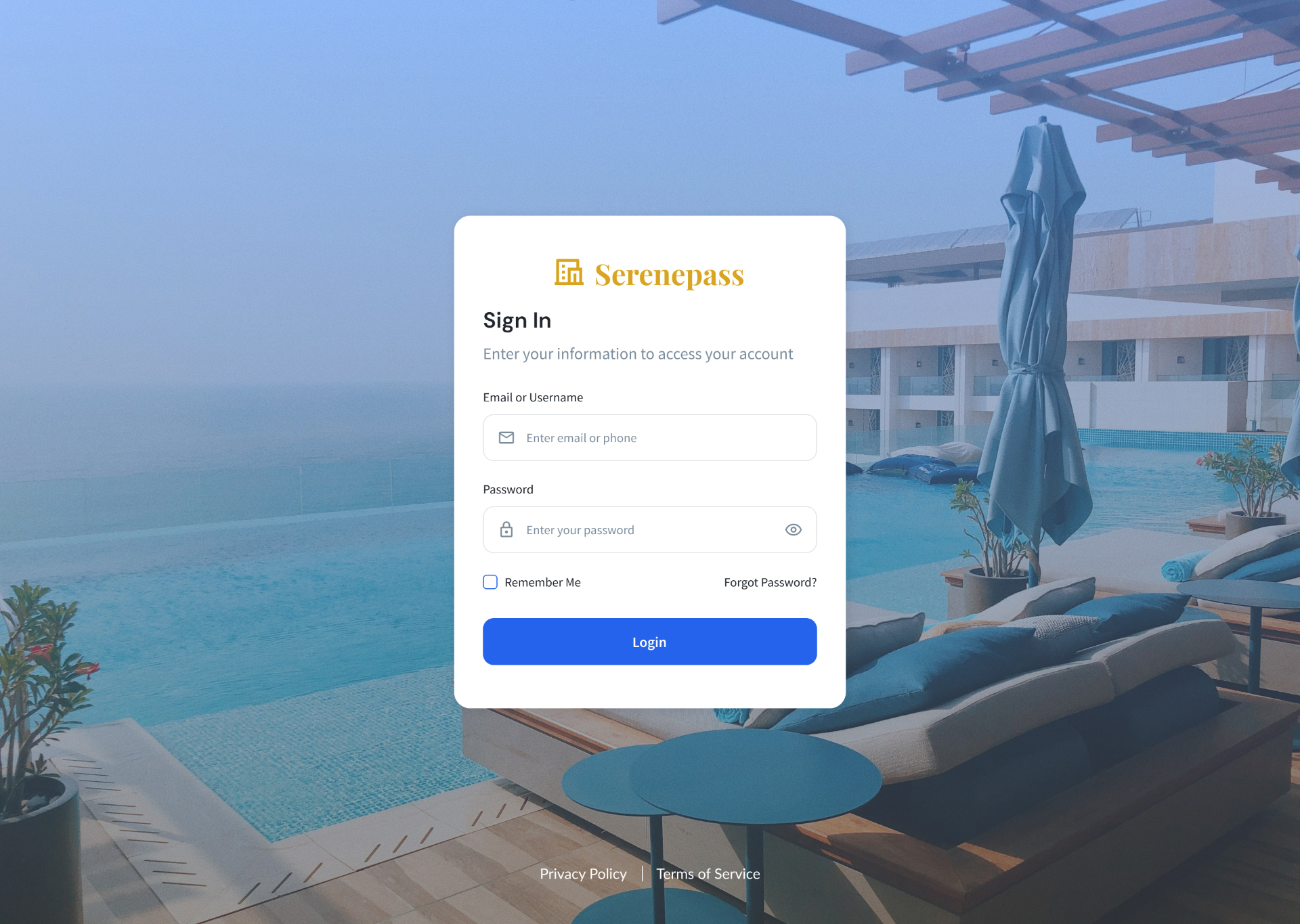
A focused single-card sign-in over a venue hero, with EN/AR toggle and Remember Me — the same brand moment used across all four Serenepass surfaces.
Four platform KPIs (Total Hotels, Active Offers, Total Bookings, Total Revenue with commission) above three Quick Actions that surface the work admins actually open the console for: approve hotels, review offers, resolve refunds.
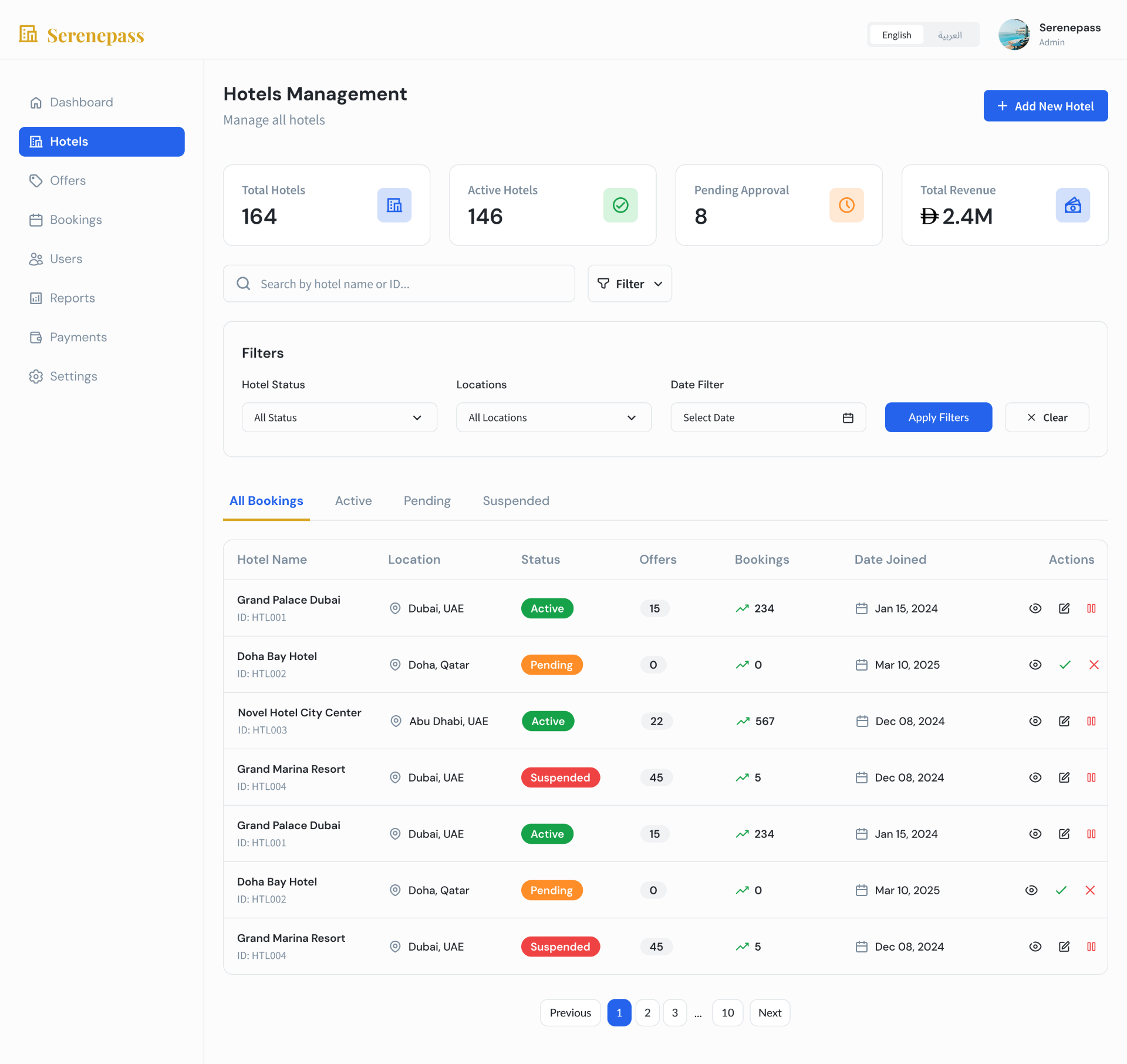
Status KPIs + filters (status · location · date) above a tabbed table — All / Active / Pending / Suspended. Inline view, edit and suspend actions keep moderation a one-click loop.
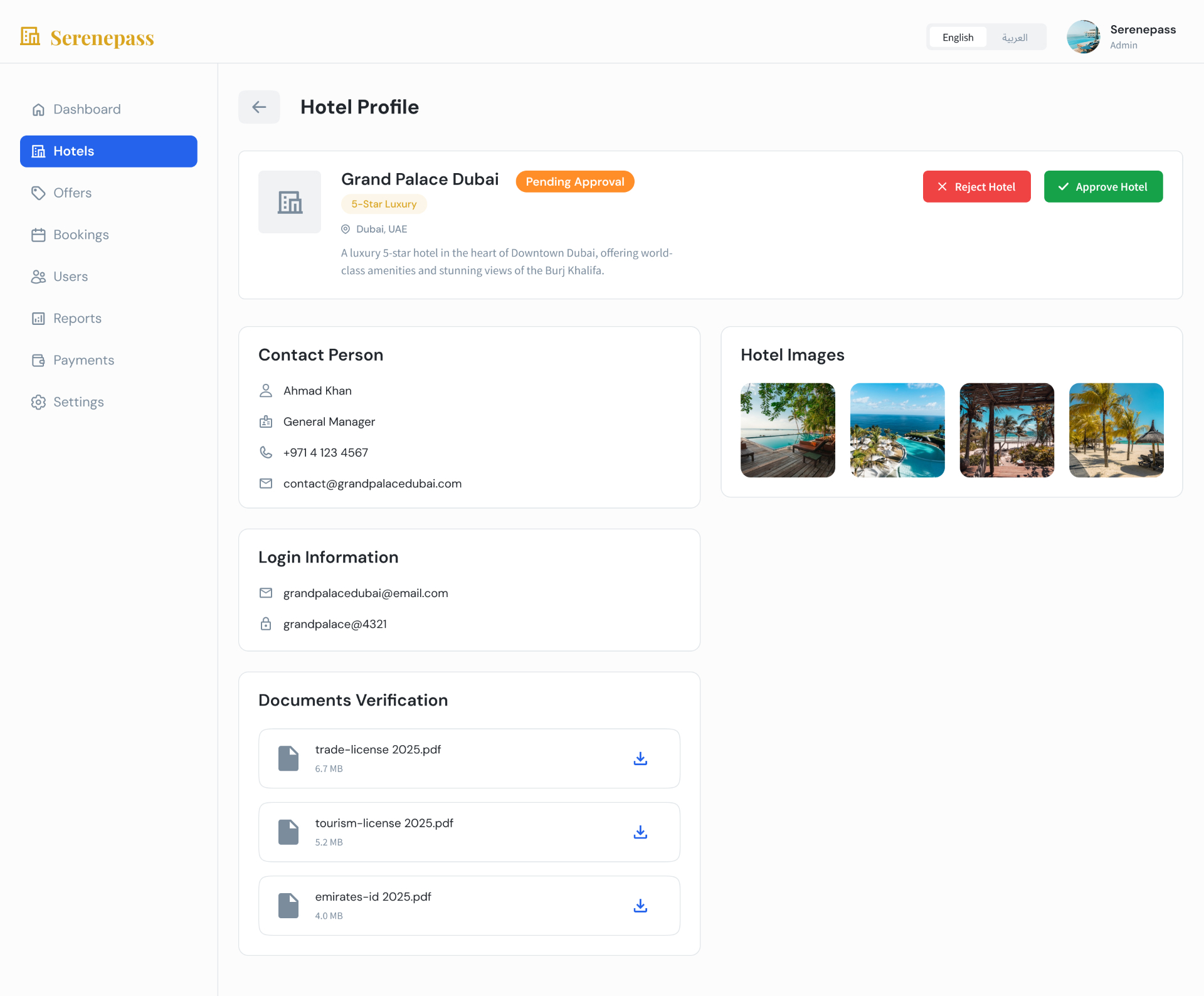
Contact person, login info, hotel imagery, and a Documents Verification block (trade license, tourism license, Emirates ID) sit beside large Reject / Approve actions — every signal an admin needs to decide, on one page.
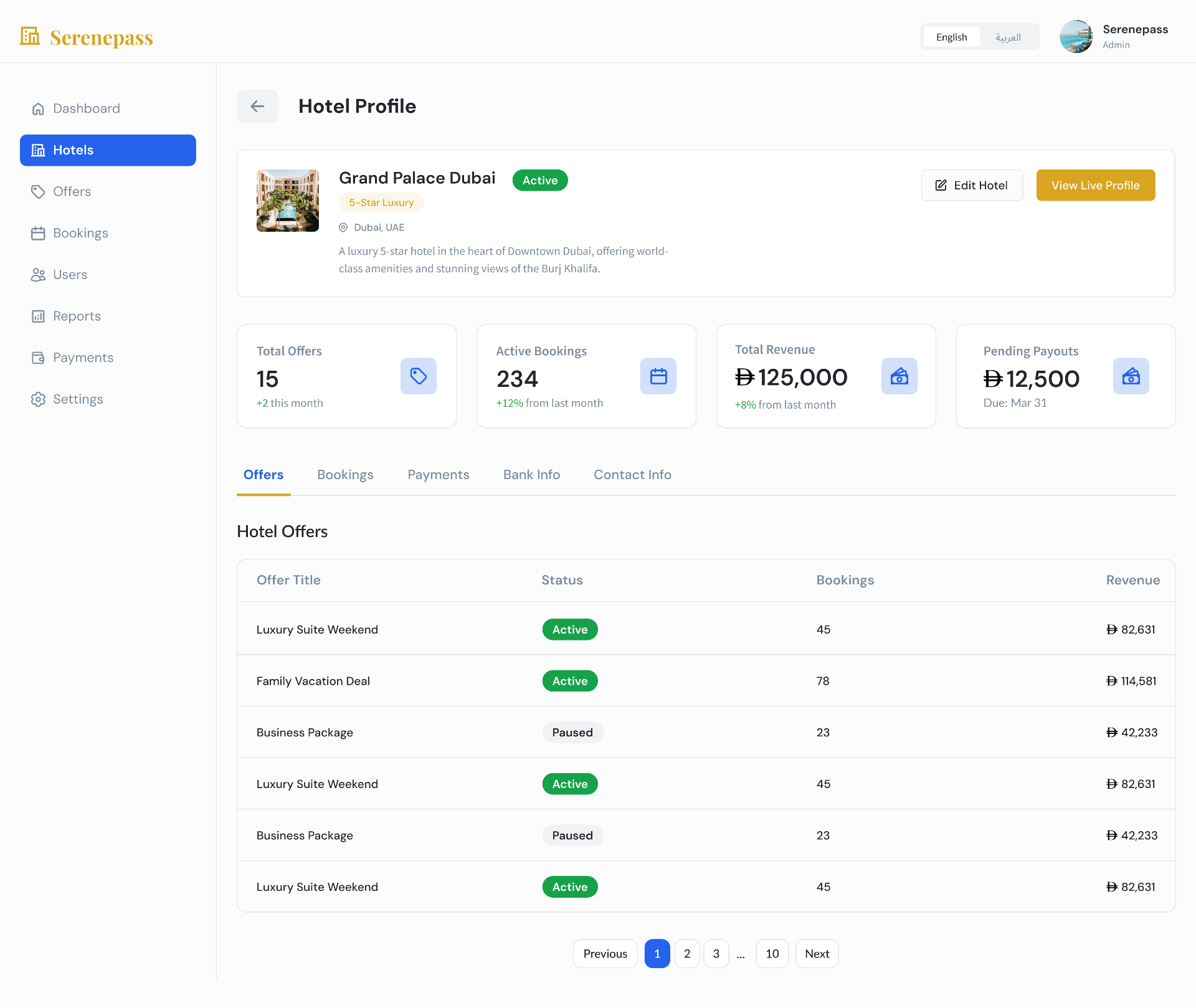
Approved hotels open into a four-tile performance summary (Offers · Bookings · Revenue · Pending Payouts) with tabbed sub-views for Offers, Bookings, Payments, Bank Info and Contact.
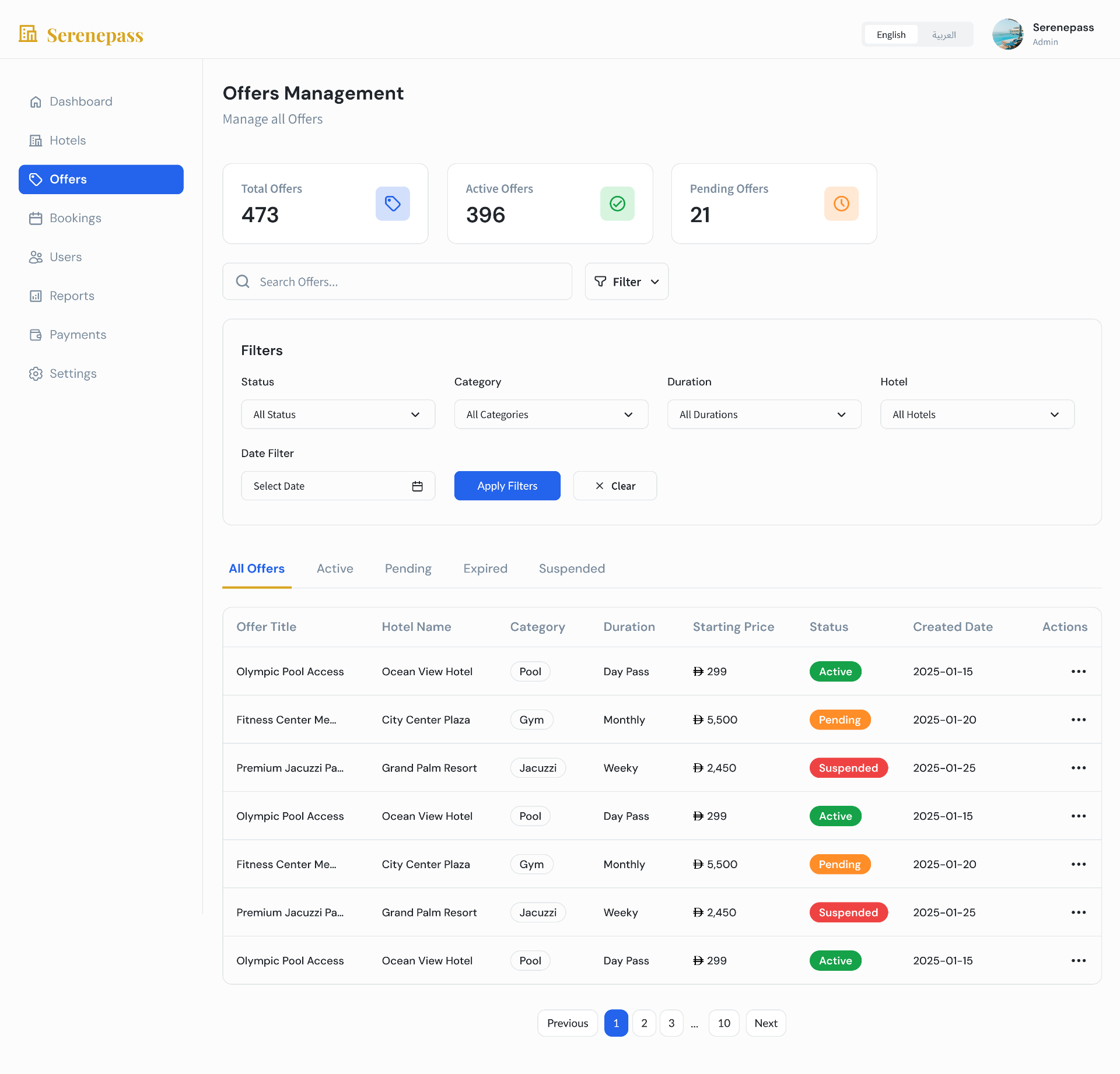
Cross-hotel offer moderation with status, category, duration and hotel filters; tabs split All · Active · Pending · Expired · Suspended so the review queue stays one click away.
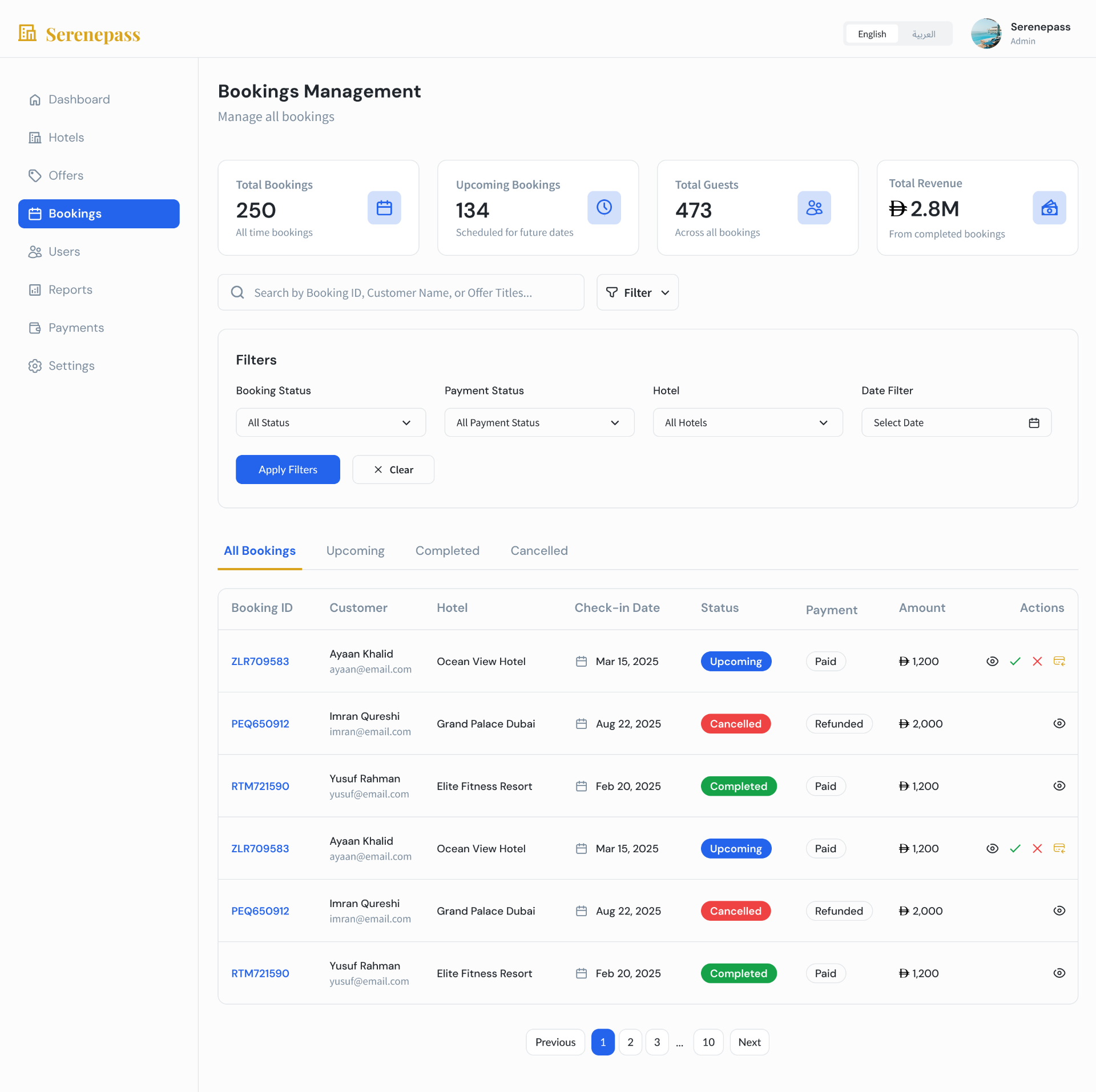
Platform-wide bookings ledger with payment-status filter and inline confirm / cancel / refund actions — the same row model as the Hotel Dashboard, scoped to every property at once.
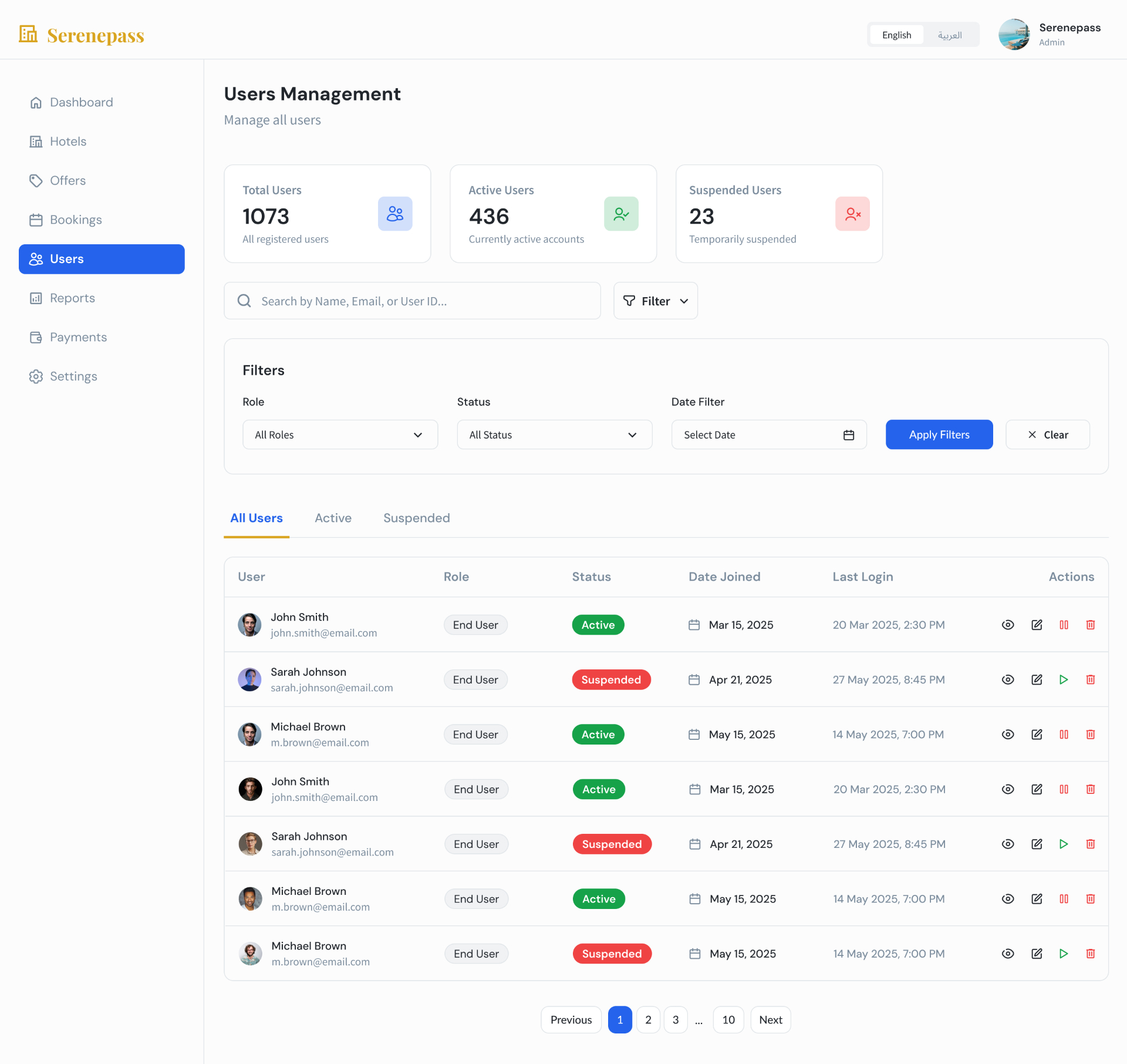
Guest accounts with role, status, join date and last-login columns; suspend, resume and delete live inline so support can act without leaving the table.
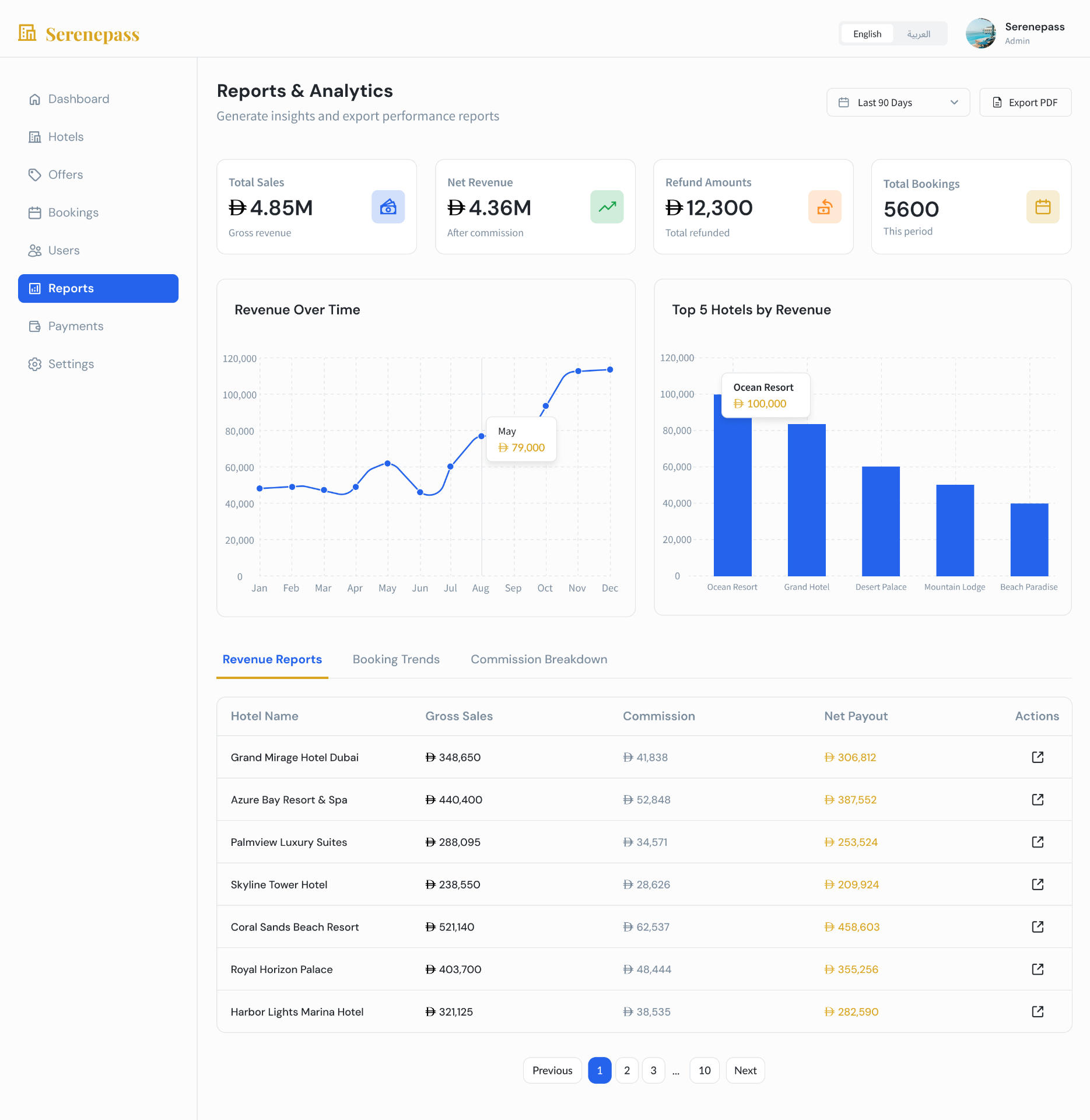
Total Sales, Net Revenue, Refund Amounts and Total Bookings KPIs over a 12-month revenue trend and a Top 5 Hotels by Revenue chart, with tabbed sub-reports for Revenue, Booking Trends and Commission Breakdown — and a one-click PDF export.
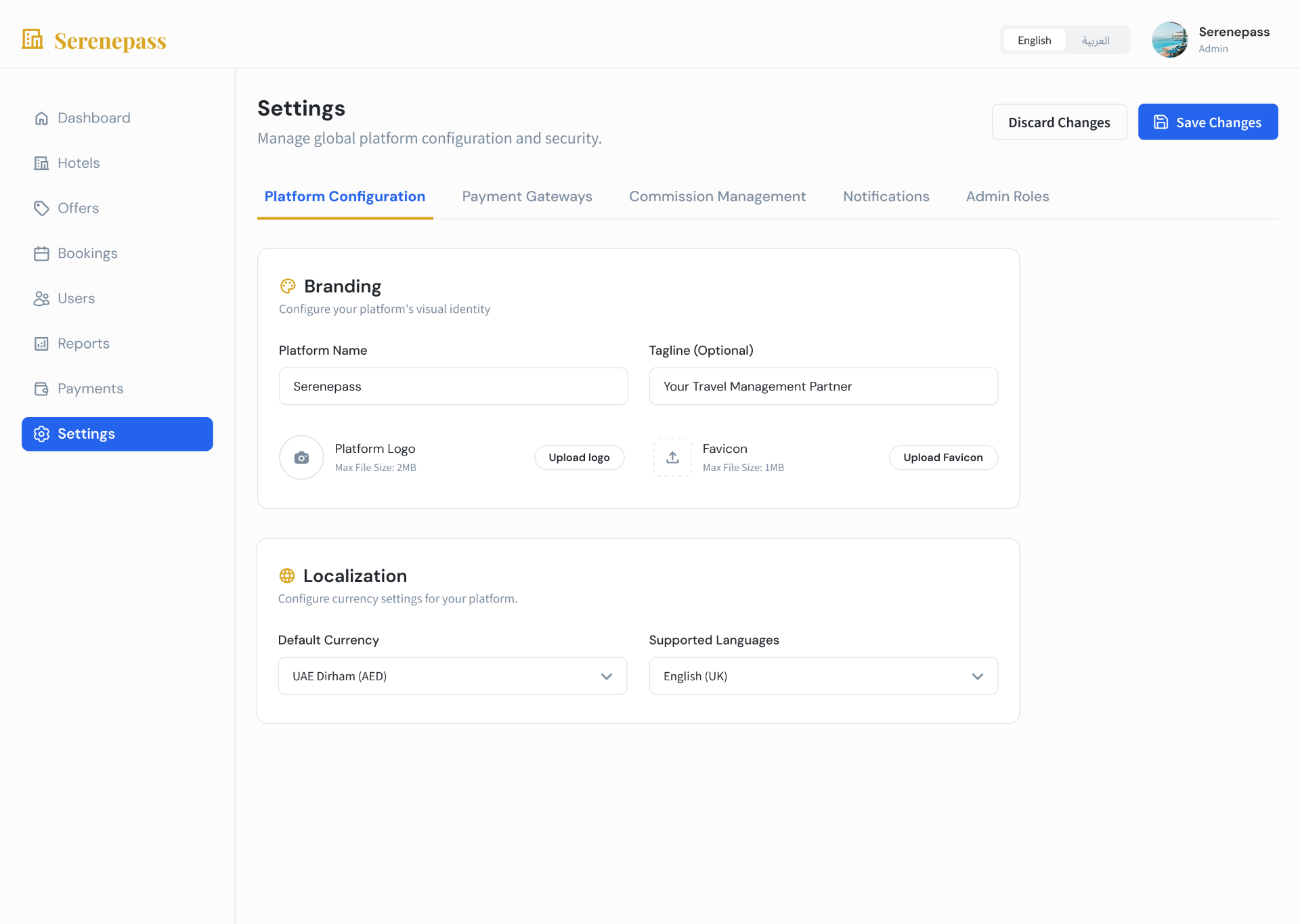
Tabbed settings (Platform · Payment Gateways · Commission · Notifications · Admin Roles) with grouped Branding and Localization cards — every platform-wide lever in one place, with explicit Save / Discard.
Where the design earned its keep.
Approve Hotels, Review Offers and Resolve Refunds sit above the fold with live counters — the admin's three real jobs, not a generic notification feed.
Contact, login, imagery and document verification share a single screen with the Approve / Reject actions, so no decision needs two tabs.
Gross · Commission · Net columns from the Hotel Dashboard reappear in Reports and the per-hotel Payments tab — the same money model from guest to platform.
View / approve / reject / suspend live in the table row across Hotels, Offers, Bookings and Users — opening a record is for context, not for action.
Every management page uses the same KPI strip → filters → tabbed table pattern, so admins learn the console once.
The language switch in the header persists across every page, matching the guest and operator surfaces and respecting the Gulf market.